
Content Categories on OnlyFans: A Subscriber Map
If you search for OnlyFans pages without a clear idea of what you want, the results feel random. Ranking sites exist because the platform has no built-in discovery feed or directory, so subscribers rely on outside comparisons to find pages. This article maps the main content categories to help you choose pages that match your interests, pace preferences, and budget.

Categories are not just labels. They tell you how often a creator posts, how much of the content sits behind pay-per-view, and what a realistic monthly spend looks like.
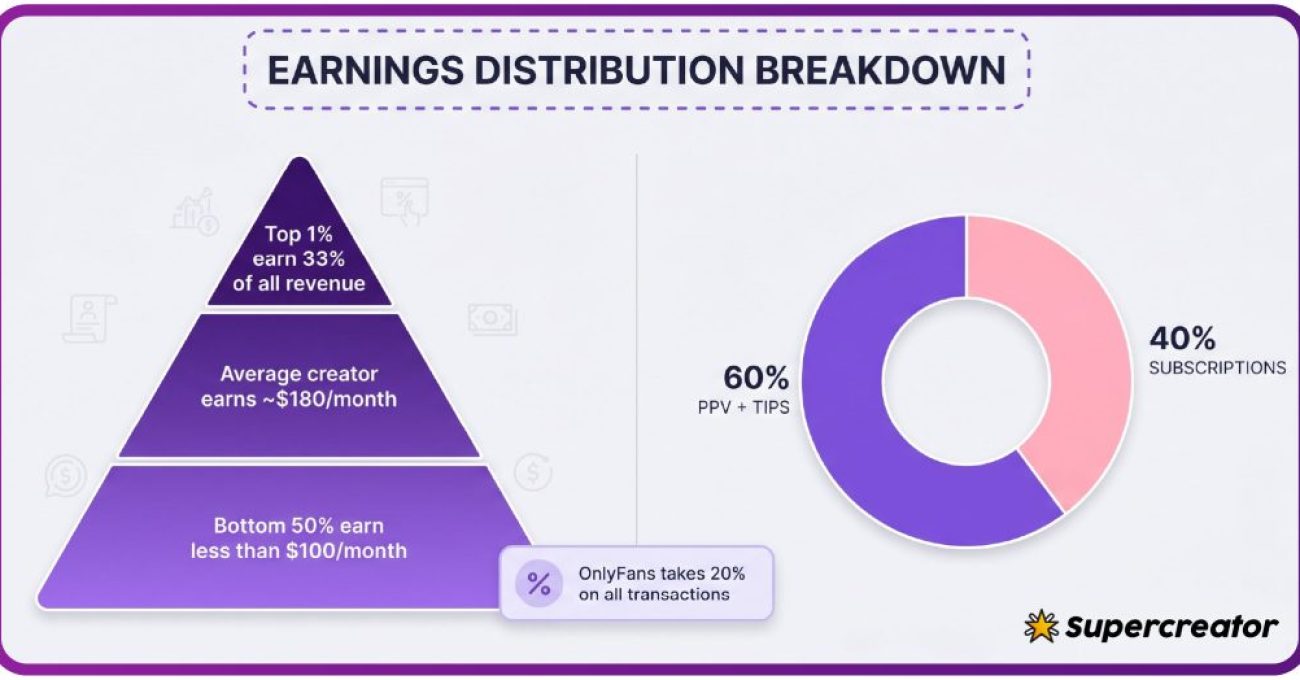
Every figure used here is checked against the OnlyFans published terms dated 2026-08-10: paid subscriptions run from $4.99 to $49.99, the platform keeps 20% of each charge, and free pages earn from tips and pay-per-view messages.
Why Categories Matter
Category choice shapes three things at once: pace, price, and pay-per-view exposure. A page in a slow, photo-heavy category behaves nothing like a page in a fast, video-heavy one, even when both charge the same subscription. Understanding the category before you subscribe saves you from paying for a rhythm you do not enjoy.
The table below lists the signals worth checking before you commit. Each row shows what a good sign looks like and what a poor sign looks like.
| Signal | Good example | Poor example |
|---|---|---|
| Posting frequency | Posts appear at a steady, predictable rate that matches the category norm | Long gaps with no explanation, then a burst of pay-per-view messages |
| Media mix | Photo and video counts are balanced and updated regularly | Media counts frozen for months while promotions keep running |
| PPV load | Most content arrives in the feed, with PPV used occasionally | Almost everything is locked behind paid messages |
| Price stability | The subscription price stays within its usual band | Constant price changes that reset auto-renew without warning |
These signals are public. You can read media counts, price, and activity before spending anything, which is why comparison services such as BestOnlyFans focus on exactly those fields.

Pace Map
Pace is the rhythm of new posts, and each category tends to settle into its own pattern. If you follow several pages, pace matters more than price, because a slow page you check daily feels costlier than a fast page you check weekly. The list below describes how common categories usually pace their output.
- Photo-focused pages: frequent small updates, often daily, with short captions.
- Video-focused pages: fewer but longer posts, sometimes weekly rather than daily.
- Fitness and lifestyle pages: steady schedules tied to workout or routine cycles.
- Cosplay and themed pages: bursts around events, conventions, or releases, then quieter weeks.
- Chat-centered pages: fewer feed posts because most interaction happens in messages.
None of these patterns is better than another. They simply suit different habits, and knowing your own checking habits makes the choice easier.
Tip: before subscribing, look at the last ten post dates on a page. If the gaps between them do not match how often you actually visit the site, the subscription will feel either empty or overwhelming.

Tier Map
Every page sits in one of three tiers: free, paid, or hybrid. Free pages set the price to $0 and earn through pay-per-view messages and tips. Paid pages charge a subscription, and hybrid pages mix a low subscription with heavier pay-per-view. The tier you pick determines where your money actually goes.
Follow these steps in order when you evaluate a new page:
- Check whether the price is set to $0 or a paid amount.
- If paid, note whether the price falls in the typical $4.99 to $15 band.
- Look at how many posts arrive free in the feed versus behind paid messages.
- Estimate your monthly pay-per-view spend based on that split.
- Compare the total against your budget before subscribing.

Price Bands
Paid subscriptions on the platform run from $4.99 at the minimum to $49.99 at the maximum. Most paid pages sit between $4.99 and $15, and the average lands around $5 to $10. No page has a base price below $4.99; only promotional first months may dip under that floor.
The table below shows where typical categories land within those bands. Treat it as a starting expectation, not a rule.
| Category type | Typical band | Notes |
|---|---|---|
| Photo-focused | $4.99-$9.99 | Lower prices, higher post frequency |
| Video-focused | $9.99-$15 | Fewer posts, longer media |
| Niche and themed | $4.99-$15 | Wide spread depending on audience size |
| Premium or bundled | $15-$49.99 | Higher price, often with included extras |
Remember that the platform fee is 20% on everything, including subscriptions, tips, and pay-per-view. The creator keeps 80%, so the price you see is not the amount that reaches them. A practical starting point is best onlyfans chatbot, which lists pages by the signals above.

PPV by Category
Pay-per-view load varies more by category than by price. Two pages can charge the same $9.99 and feel completely different if one includes everything in the feed and the other sends most content as paid messages. The list below covers categories where pay-per-view tends to be heavier.
- Custom-request pages, where most output is made to order.
- Chat-centered pages, where private messages carry the main content.
- Event-driven pages that release sets only around specific dates.
- Free-tier pages, which rely on pay-per-view and tips by design.
- Pages that bundle extras, such as longer clips or behind-the-scenes media.
If a page appears in this group, plan a monthly pay-per-view allowance before subscribing. Otherwise the subscription price becomes a small part of the real cost.

Matching to Budget
A realistic monthly amount beats a perfect category match. Many subscribers pick a page that suits their interests, then overspend on pay-per-view because they never set a ceiling. Decide the total first, then choose categories that fit inside it.
Expect these costs month by month:
- The subscription itself, anywhere from $4.99 to $49.99.
- Pay-per-view messages, which vary by category and can exceed the subscription.
- Tips, which are optional but common on free-tier pages.
- Renewal charges, which continue automatically unless you cancel.
One practical habit is to add the subscription and an estimated pay-per-view figure, then compare the total with what you spent last month.
Switching Categories
Interests shift, and so should your subscriptions. When you move to a new category, your spending pattern changes with it, often before you notice. A switch from a $4.99 photo page to a $12 video page raises the base cost, and a switch toward a pay-per-view-heavy category raises the variable cost.
Keep these mistakes in mind when you switch:
- Assuming the new page costs the same because the price looks similar.
- Forgetting that raising the subscription price stops auto-renew, so access ends when the current paid period finishes.
- Leaving old subscriptions active while adding new ones.
- Ignoring pay-per-view habits carried over from the previous category.
- Skipping a review after the first month.
Warning: when a creator raises the subscription price, auto-renew stops on its own. Your existing access lasts only until the current paid period ends, so decide before the period closes rather than after.
Comparison sites such as BestOnlyFans list public profile details, which makes side-by-side checks quicker than opening each page individually. A third option, the BestOnlyFans comparison approach, groups pages by the same public fields: price, promotions, activity, and media counts.
A pay-per-view unlock is charged once and does not renew on its own.
Staying Current
Category mixes age quickly. A page that posted daily last year may now post weekly, and a free page may have moved to a paid tier. Revisiting your mix every few months keeps your spending aligned with what you actually use.
A simple review works well: list your active subscriptions, note the price and pay-per-view load of each, and drop the ones you rarely open. Then check whether the categories you follow still match your interests.
FAQ
What is the lowest paid subscription price on OnlyFans?
The minimum base price is $4.99. Only promotional first months may dip below that figure. Comparing two pages is fair only when both prices are read on the same day.
How do free pages make money?
Pay-per-view messages and tips instead of subscriptions. The platform keeps a fifth of every payment and passes the rest to the creator. Cancelling stops the next renewal but keeps access until the paid period ends. A shortlist of pages is easier to manage when each one is reviewed monthly.
What happens when a creator raises the subscription price?
Auto-renew stops, and your existing access continues only until the current paid period ends. The monthly fee is charged at the start of each billing period. A card that expires mid-year has to be updated before the next renewal. Following a free page costs nothing and does not require a subscription.
Why do ranking sites exist for OnlyFans?
The platform has no built-in discovery feed or directory, so outside sites compare public profile details such as price, promotions, activity, and media counts. On a paid page the first month is often discounted, while the standard rate resumes afterwards. Tips are voluntary and separate from the subscription price. A pay-per-view message is priced by the creator and shown before you unlock it.